For iPhone, iPad and Mac
Forty-two developer tools. Not one network request.
DevKit is the toolbox you already keep open in a browser tab — JSON, JWTs, regex, hashes, cron and more — rebuilt as a native app that works with the radio off.
Free to download · Twelve tools free forever · iOS 17, iPadOS 17 and macOS 14
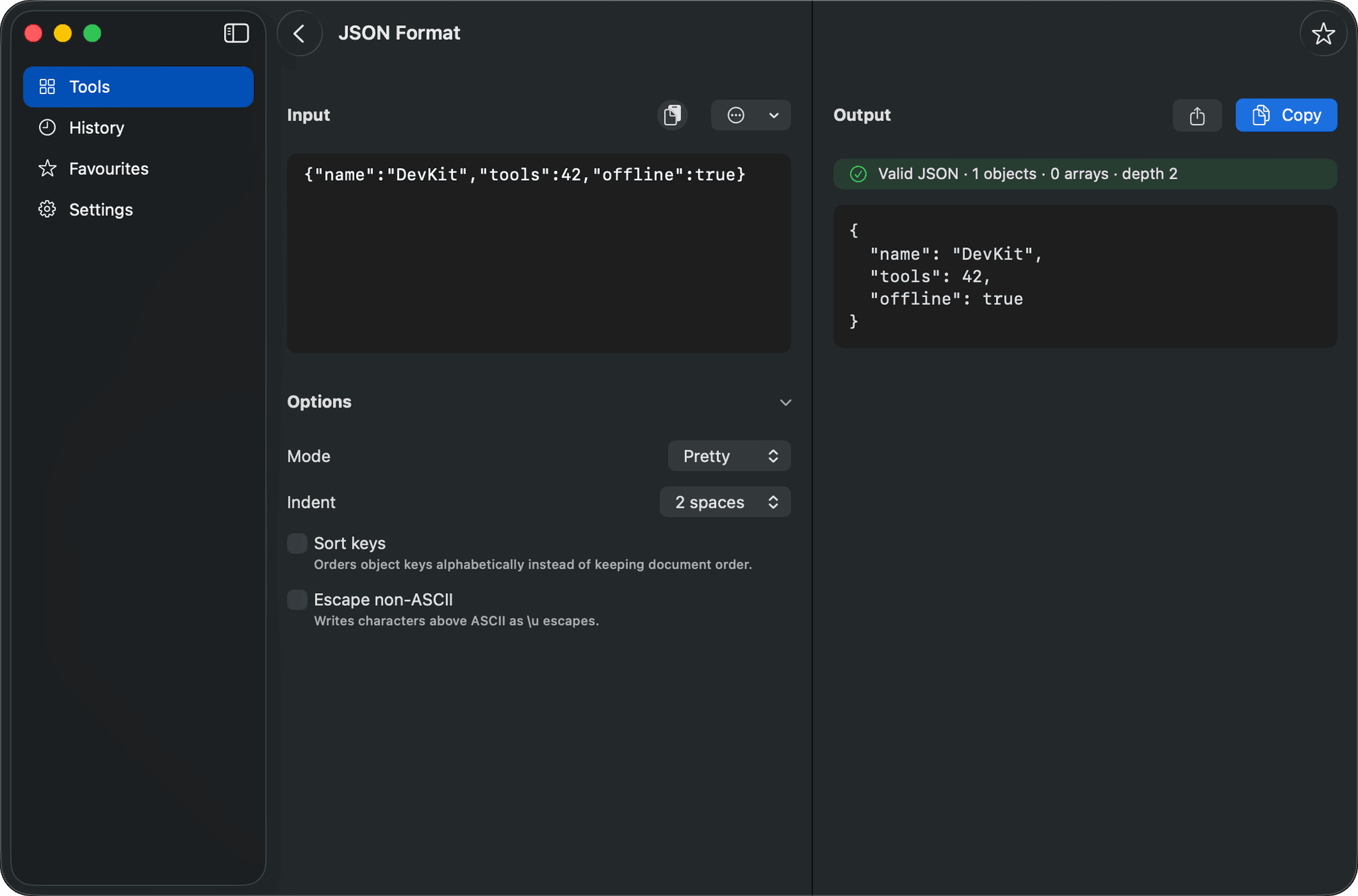
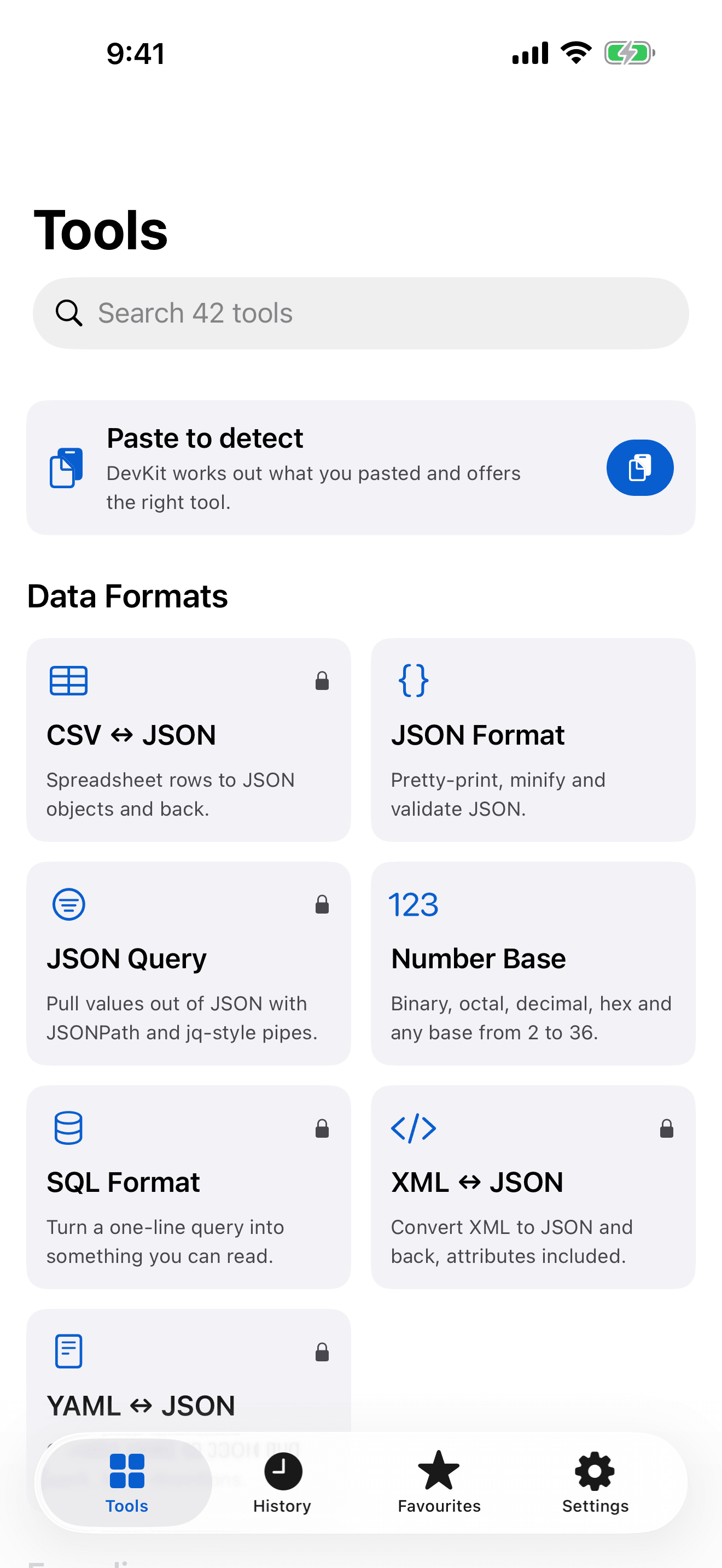
42
developer tools, all running on your device
12
of them free forever, with no account and no time limit
0
network requests — not a setting, but how the app is built
3
platforms covered by one purchase: iPhone, iPad and Mac
Smart paste
Paste anything. DevKit knows what it is.
Tap paste and DevKit recognises the shape of what you gave it — a token, a certificate, a cron line, a colour — and offers the tools that fit, best first.
It never reads your clipboard on its own. You tap paste; it looks. That is why iOS never interrupts you with a paste permission prompt.
From any app, with Pro. The share sheet on iPhone and iPad, and Services on a Mac, recognise selected text in place.
eyJhbGciOiJIUzI1NiIsInR5cCI6IkpXVCJ9.eyJzdW…FreeA JSON Web Token
*/15 9-17 * * MON-FRIProA cron schedule
192.168.1.0/24ProAn IP network
#4B7BECFreeA colour
1735689600FreeA Unix timestamp
-----BEGIN CERTIFICATE-----ProAn X.509 certificate
SELECT a FROM t WHERE b = 1ProA SQL query
{"a":1,"b":[2,3]}FreeJSON
iPhone, iPad and Mac
Native on every screen you work on.
The same forty-two tools wherever you are, with a layout built for each device rather than stretched across them.
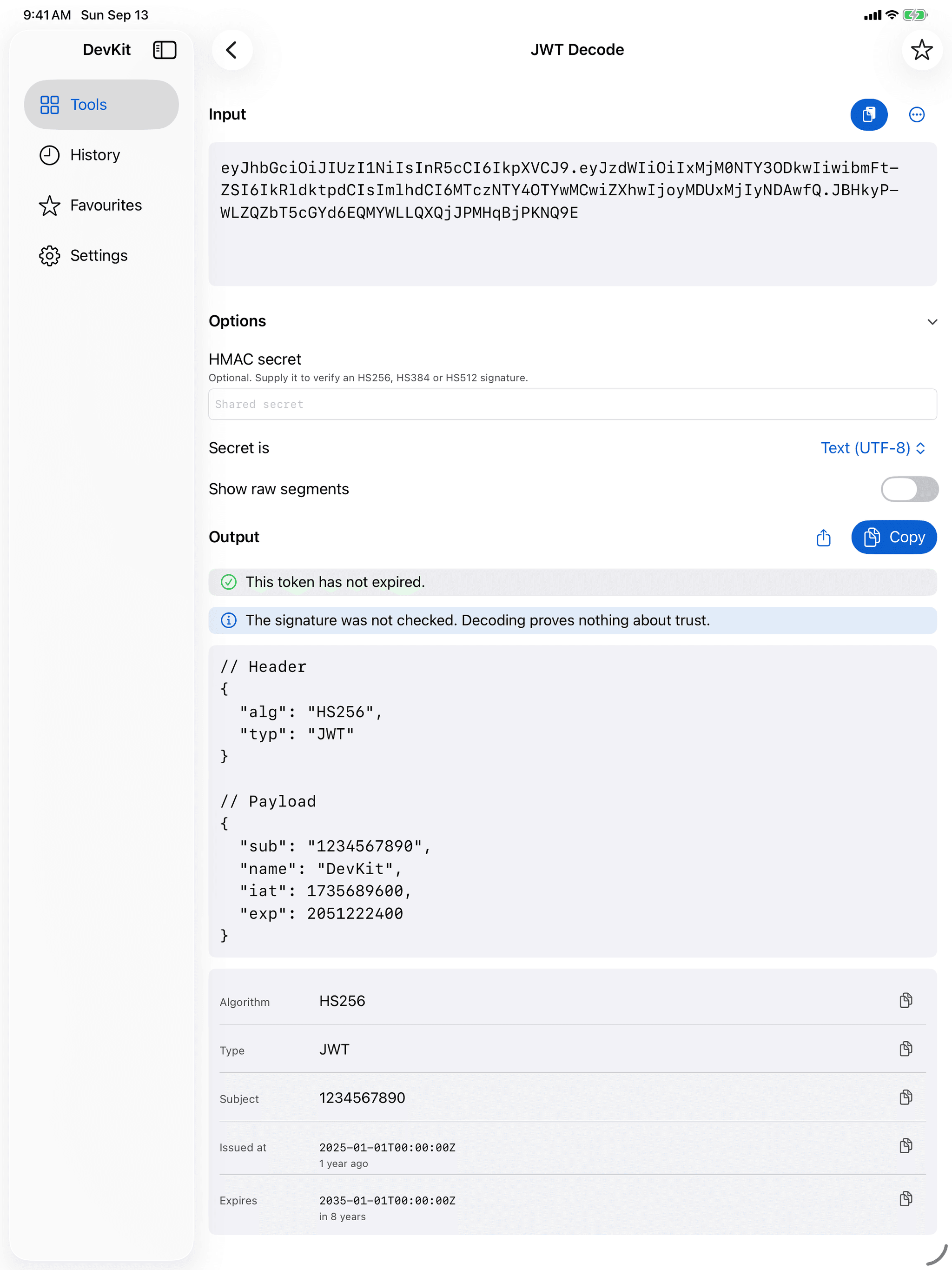
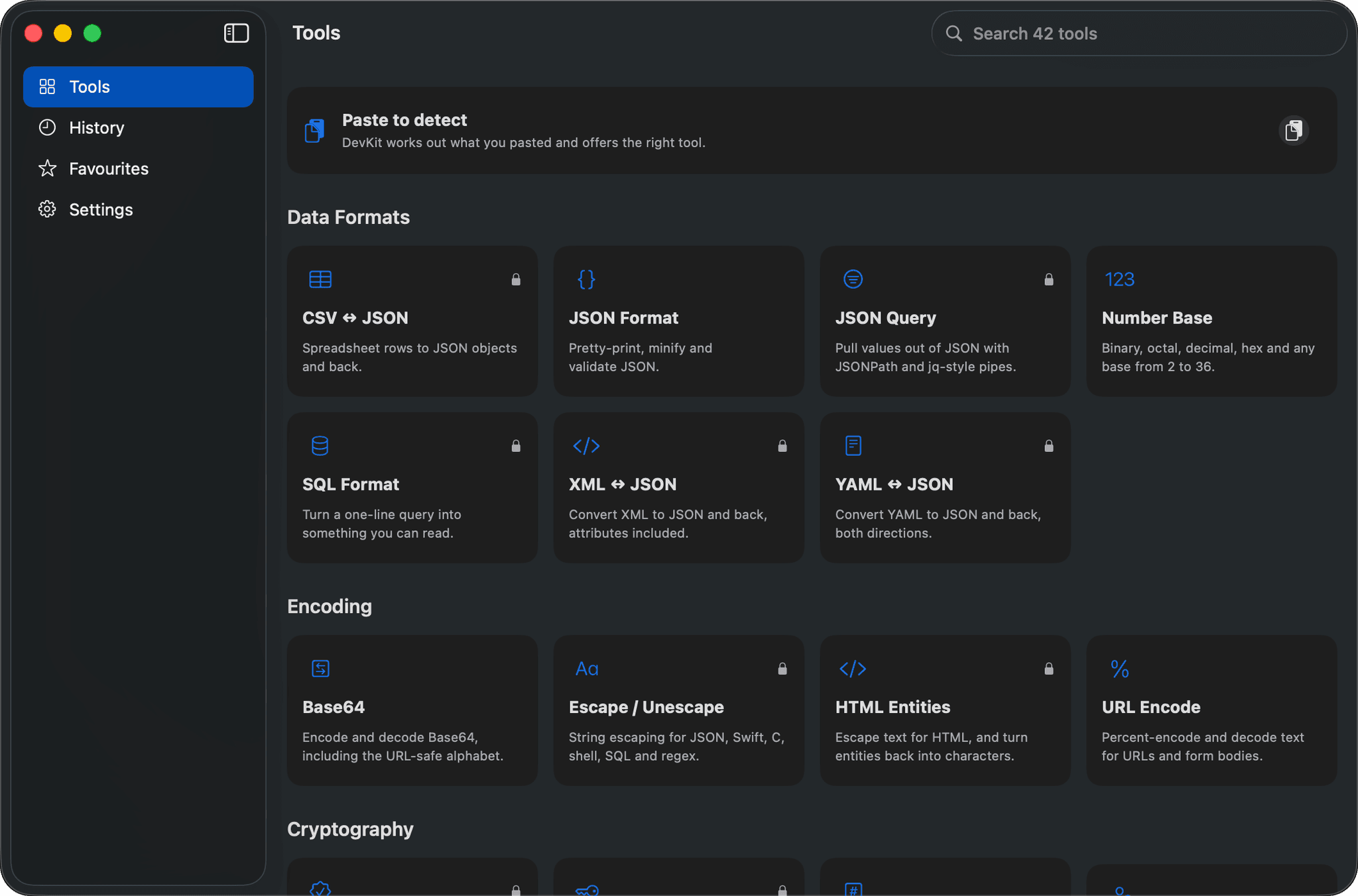
Native, not a web view
Built in SwiftUI for iPhone, iPad and Mac, and it looks and behaves like it belongs on each.
Made for the keyboard
Search and keyboard shortcuts on iPad and Mac, and a menu bar popover on macOS.
One purchase, every device
DevKit is a Universal Purchase. Pro on your iPhone is Pro on your Mac.
Built for how you work
Out of the app, into your workflow.
Every tool is a Shortcuts action
Compose tools into automations that run without opening the app, with ten Siri phrases for the most-used ones.
- Pro
Share extension and Services
Send selected text from any app to the right tool — the share sheet on iPhone and iPad, Services on a Mac.
- Pro
Home Screen widgets
The current epoch time at a glance, and a one-tap launcher for the tool you use most.
A menu bar popover
On a Mac, search and open any tool from the menu bar, then get straight back to work.
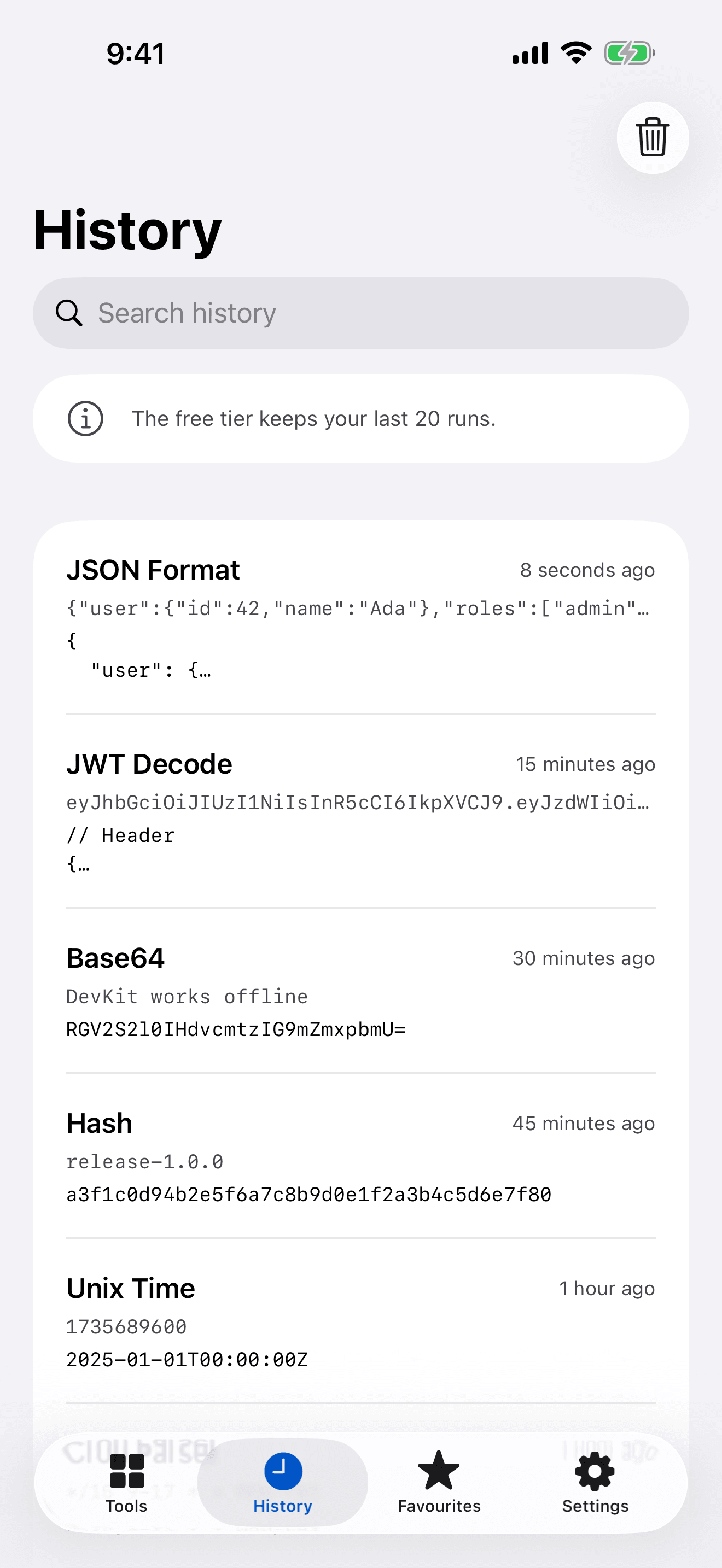
History, favourites and drafts
Pin the tools you use and pick up where you left off. Free keeps your last 20 runs; Pro keeps them all.
- Pro
iCloud sync
Favourites and history on every device, in your own private iCloud database. Drafts never sync, deliberately.
Honest tools
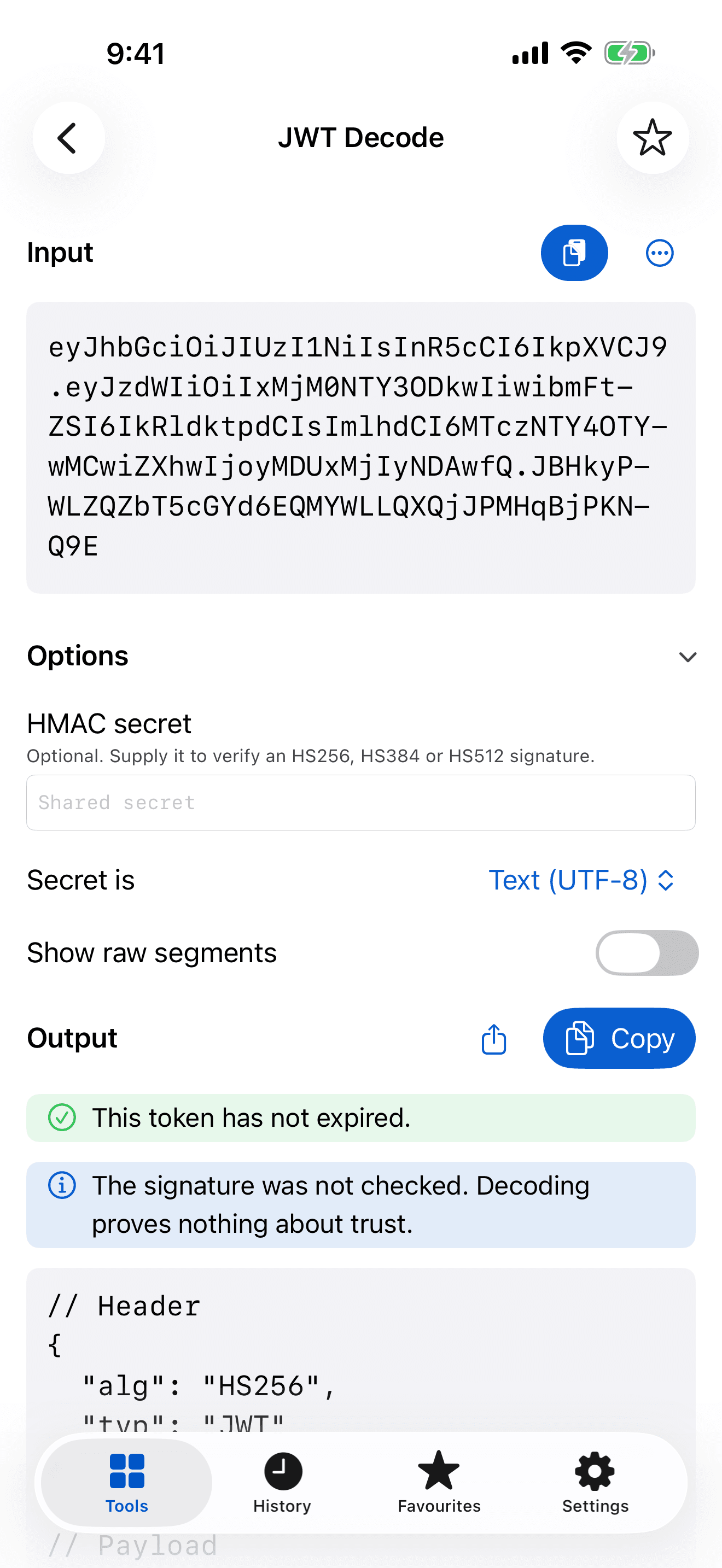
A decoded token is not a trusted token.
DevKit tells you what it found and what it did not check. Reading a JWT or a certificate shows you what is in it, not whether to believe it — and the app says so, right where it matters.
Bounded, so nothing hangs
A 5 MB ceiling on input, depth limits on every recursive parser, and a regex tester that gives up after two seconds instead of wedging.
Fuzzed on every build
All 42 tools face empty input, control characters, deeply nested structures, script tags and SQL injection strings. Anything but a clear error fails the build.
A preview that cannot phone home
The HTML preview runs with JavaScript off, blocks every resource load and cancels every navigation.
Privacy
Private by construction, not by a setting.
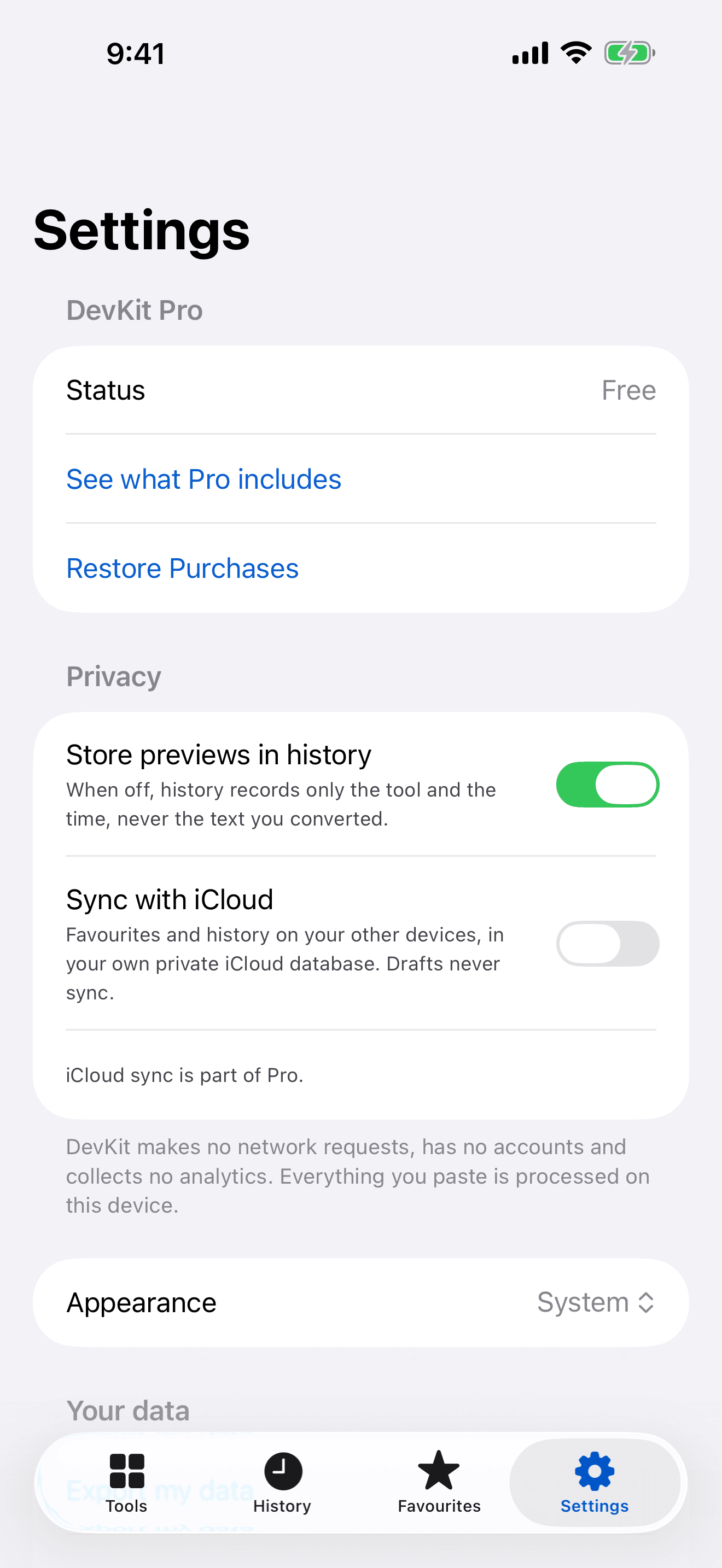
DevKit makes no network requests. On a Mac it does not even hold the entitlement that would allow one. Turn on Airplane Mode: everything still works.
No network requests
Everything you paste is processed on your device.
No account
Nothing to sign up for, and nothing to sign in to.
No analytics or tracking
No telemetry and no advertising identifier. The App Store label reads Data Not Collected.
No third-party code
No SDKs and no dependencies, so there is nothing else to trust.
History stays on your device and its previews can be switched off. Settings → Erase all data removes everything, including anything synced to your own private iCloud.
Free and Pro
Twelve tools free. Forever.
No account and no time limit. DevKit Pro adds the other thirty tools, unlimited history, iCloud sync, widgets, and the share extension and Services.
- JSON Format
- Base64
- URL Encode
- JWT Decode
- UUID Generate
- Unix Time
- Hash
- Regex Tester
- Color Convert
- String Case
- Number Base
- Text Diff
Pro is $1.99 a month or $12.99 a year, each with a 7-day free trial for new subscribers — or $24.99 once. One purchase covers iPhone, iPad and Mac.
US prices. The App Store shows yours in your own currency.
Your whole toolbox, with the radio off.
Free on the App Store for iPhone, iPad and Mac.
